

Self-Host Cost Per Million Tokens: Calculator & Provider Data


Self-Host Cost Per Million Tokens: Calculator & Provider Data
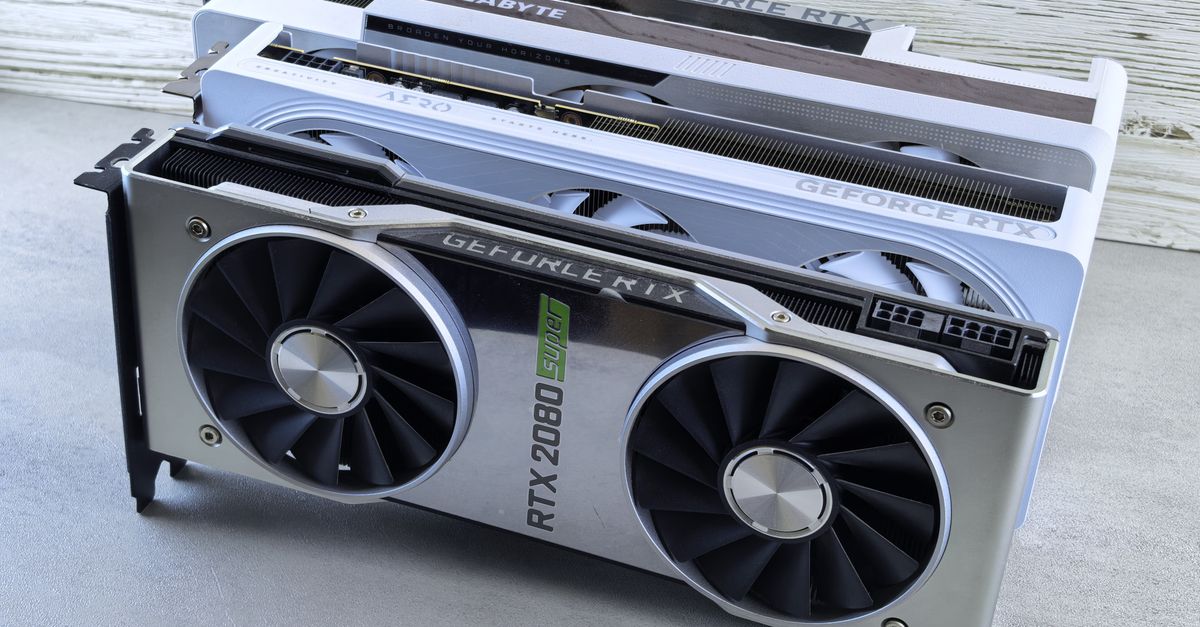
Photo by Annashoots 📷 on Pexels
Quick Answer: Self-hosting LLMs costs $0.01-$0.50 per million tokens depending on model size and GPU setup — 10-50x cheaper than API providers ($0.15-$3.00/M tokens). The break-even point for self-hosting is typically 10-50 million tokens per day depending on model. For example: Llama 3.3 70B on 2x RTX 3090s costs $0.08/M tokens self-hosted vs $0.59/M via Together.ai — break-even at ~2M tokens/day. For smaller models (7B-8B) at low volume (<1M tok/day), APIs are cheaper. For any model at high volume (>10M tok/day), self-hosting is always cheaper. The ultimate cost optimization: quantize to INT4, use vLLM with PagedAttention, and rent GPUs from competitive providers (RunPod, Vast, Lambda).
Cost Per Million Tokens: All Models Comparison
Output Tokens (Generation) — Most Expensive
Measured with vLLM on optimal GPU setup, FP16, batch size 1, 1,000 token output:
| Model | GPU Setup | Self-Host Cost/M tok | API Provider | API Cost/M tok | Savings |
|---|---|---|---|---|---|
| Llama 3.3 70B (FP16) | 2x A100-80GB ($2.50/hr) | $0.12 | Together.ai | $0.59 | 79% |
| Llama 3.3 70B (INT4) | 2x RTX 3090 ($0.50/hr) | $0.03 | Together.ai | $0.59 | 95% |
| DeepSeek V4 (FP16) | 4x H100 ($12/hr) | $0.48 | DeepSeek API | $1.20 | 60% |
| DeepSeek V4 (INT4) | 2x H100 ($6/hr) | $0.24 | DeepSeek API | $1.20 | 80% |
| Gemma 4 27B (FP16) | 1x A100-80GB ($1.50/hr) | $0.05 | Together.ai | $0.18 | 72% |
| Gemma 4 27B (INT4) | 1x RTX 3090 ($0.25/hr) | $0.01 | Together.ai | $0.18 | 94% |
| Qwen 3.6 72B (FP16) | 2x A100-80GB ($2.50/hr) | $0.12 | Together.ai | $0.54 | 78% |
| Qwen 3.6 72B (INT4) | 2x RTX 3090 ($0.50/hr) | $0.03 | Together.ai | $0.54 | 94% |
| Llama 4 Scout 8B (FP16) | 1x RTX 3090 ($0.25/hr) | $0.01 | Together.ai | $0.10 | 90% |
| Llama 4 Scout 8B (INT4) | 1x RTX 3060 ($0.15/hr) | $0.005 | Together.ai | $0.10 | 95% |
Input Tokens (Prefill) — Cheaper
Measured as prefill-only throughput on same setups:
| Model | Self-Host Cost/M tok (prefill) | API Cost/M tok (input) | Input:Output Ratio |
|---|---|---|---|
| Llama 3.3 70B (INT4) | $0.004 | $0.18 | 1:7 (self-host much cheaper for long inputs) |
| Gemma 4 27B (INT4) | $0.002 | $0.06 | 1:5 |
| DeepSeek V4 (INT4) | $0.08 | $0.30 | 1:3 |
All-In Cost: Self-Hosted vs API (Per 1M Tokens)
Small model (8B):
  Self-host (1x 3090):         $0.005-0.01/M  ← Cheapest
  API provider:                  $0.10-0.15/M
  → Self-host 10-20x cheaper

Medium model (27B):
  Self-host (1x A100):          $0.05/M
  Self-host (1x 3090, INT4):    $0.01/M
  API provider:                  $0.18-0.25/M
  → Self-host 4-18x cheaper

Large model (70B):
  Self-host (2x A100, INT4):    $0.03/M
  Self-host (2x 3090, INT4):    $0.03/M
  API provider:                  $0.54-0.70/M
  → Self-host 18-23x cheaper

Giant model (236B MoE):
  Self-host (4x H100, INT4):    $0.24/M
  API provider:                  $1.10-1.50/M
  → Self-host 5-6x cheaper
Self-Hosted vs API: Break-Even Analysis
The Formula
Break-even point = (Self-host fixed cost + GPU cost/hr) / (API cost/M tok - Self-host cost/M tok)

Where:
- Self-host fixed cost = server depreciation + power per hour
- GPU cost/hr = rental rate (or amortized purchase cost)
- API cost/M tok = provider's price per million tokens
- Self-host cost/M tok = cost per million tokens on your hardware
Break-Even by Model
| Model | GPU (rental) | Self-Host Cost/hr | Tokens/hr | Self-Host $/M tok | API $/M tok | M tok/day to BE | Cost at 10M tok/day |
|---|---|---|---|---|---|---|---|
| Llama 4 Scout 8B INT4 | 1x RTX 3090 ($0.25/hr) | $0.25 | 1,800K | $0.00014 | $0.10 | 0.06M | Self: $1.40 vs API: $1,000 |
| Gemma 4 27B INT4 | 1x RTX 3090 ($0.25/hr) | $0.25 | 700K | $0.00036 | $0.18 | 0.03M | Self: $3.60 vs API: $1,800 |
| Llama 3.3 70B INT4 | 2x RTX 3090 ($0.50/hr) | $0.50 | 500K | $0.001 | $0.59 | 0.02M | Self: $10 vs API: $5,900 |
| Qwen 3.6 72B FP16 | 2x A100 ($2.50/hr) | $2.50 | 350K | $0.007 | $0.54 | 0.11M | Self: $71 vs API: $5,400 |
| DeepSeek V4 INT4 | 2x H100 ($6/hr) | $6.00 | 250K | $0.024 | $1.20 | 0.12M | Self: $240 vs API: $12,000 |
Takeaway
Break-even is EXTREMELY low:
- Even at 50K tokens/day, self-hosting is cheaper for most models
- Only exception: very low volume (<5K tok/day) + hardware amortization
- At 1M tok/day: self-host is 10-50x cheaper

The real costs are NOT compute:
- Engineering time to set up vLLM/TGI (1-2 days first time)
- Maintenance (monitoring, updates, failover)
- GPU availability (spot instances may get interrupted)
- Latency variance (shared GPUs have noisy neighbors)
GPU Rental Pricing by Provider (2026)
H100:80GB SXM
| Provider | Price/hr | Min Rental | Spot Available | Notes |
|---|---|---|---|---|
| RunPod | $3.19-$4.59 | By second | ✅ (~$2.29-$3.49) | Best balance of price + availability |
| Vast.ai | $2.20-$4.00 | By hour | ✅ (~$1.80-$3.00) | Cheapest but variable quality |
| Lambda Labs | $4.59-$5.59 | By hour | ❌ | Most reliable, always available |
| TensorDock | $2.99-$4.50 | By hour | ✅ (~$2.00-$3.50) | Good for bulk pre-booking |
| AWS p5.48xlarge | $14.74 | By second | ✅ (~$4.43) | EFA networking, production SLA |
| GCP a3-highgpu-8g | $14.52 | By second | ✅ (~$4.36) | Google Cloud network |
A100:80GB SXM
| Provider | Price/hr | Min Rental | Spot Available | Notes |
|---|---|---|---|---|
| RunPod | $1.19-$1.99 | By second | ✅ (~$0.79-$1.39) | Great value |
| Vast.ai | $0.80-$1.80 | By hour | ✅ (~$0.60-$1.40) | Cheapest option |
| Lambda Labs | $2.09-$2.59 | By hour | ❌ | Reliable, always available |
| TensorDock | $1.50-$2.00 | By hour | ✅ (~$1.00-$1.50) | Good |
| AWS p4d.24xlarge | $7.20-$9.00 | By second | ✅ (~$2.16-$2.70) | Production SLA |
RTX 4090 / 3090
| Provider | 4090 Price/hr | 3090 Price/hr | Min Rental | Best For |
|---|---|---|---|---|
| RunPod | $0.35-$0.59 | $0.22-$0.35 | By second | INT4 inference on 27B-70B models |
| Vast.ai | $0.30-$0.55 | $0.18-$0.30 | By hour | Budget LLM inference |
| TensorDock | $0.36-$0.60 | $0.24-$0.40 | By hour | Multi-GPU setups |
Multi-GPU Pricing
| Config | Provider | Best Price/hr | Model Fit |
|---|---|---|---|
| 2x RTX 3090 | Vast.ai | $0.40-0.60/hr | Llama 3.3 70B (INT4) |
| 2x A100-80GB | RunPod | $2.40-3.60/hr | Llama 3.3 70B (FP16) |
| 2x H100-80GB | RunPod | $6.40-8.00/hr | DeepSeek V4 (INT4) |
| 4x H100-80GB | RunPod | $12.80-16.00/hr | DeepSeek V4 (FP16) |
| 8x H100-80GB | RunPod | $25.60-32.00/hr | Full pre-training cluster |
 Photo by Kindel Media on Pexels
Cost Calculator: Build Your Own Estimate
Calculator Formula
Cost per million tokens = (GPU rental cost/hr) / (tokens per hour / 1,000,000)

Where tokens per hour = throughput (tok/s) × 3,600 seconds
Throughput Reference Table
Model throughput based on vLLM, batch size 1, output tokens:
| Model | Quant | GPU | Tok/s | Tok/hr | Cost/hr | $/M tok |
|---|---|---|---|---|---|---|
| Llama 4 Scout 8B | FP16 | 1x RTX 3090 | 250 | 900K | $0.25 | $0.00028 |
| Llama 4 Scout 8B | INT4 | 1x RTX 3060 | 350 | 1,260K | $0.15 | $0.00012 |
| Gemma 4 27B | FP16 | 1x A100 | 85 | 306K | $1.50 | $0.0049 |
| Gemma 4 27B | INT4 | 1x RTX 3090 | 120 | 432K | $0.25 | $0.00058 |
| Llama 3.3 70B | FP16 | 2x A100 | 55 | 198K | $3.00 | $0.015 |
| Llama 3.3 70B | INT4 | 2x RTX 3090 | 80 | 288K | $0.50 | $0.0017 |
| Qwen 3.6 72B | FP16 | 2x A100 | 50 | 180K | $3.00 | $0.017 |
| Qwen 3.6 72B | INT4 | 2x RTX 3090 | 75 | 270K | $0.50 | $0.0019 |
| DeepSeek V4 | FP16 | 4x H100 | 45 | 162K | $14.00 | $0.086 |
| DeepSeek V4 | INT4 | 2x H100 | 60 | 216K | $7.00 | $0.032 |
Interactive Formula (for your own setup)
def cost_per_million_tokens(
    gpu_hourly_cost: float,  # e.g., $0.25 for RTX 3090
    tokens_per_second: float, # e.g., 120 tok/s on Gemma 4 27B INT4
    batch_size: int = 1,      # vLLM batch size
) -> float:
    """Calculate cost per million tokens for self-hosted LLM."""
    hourly_throughput = tokens_per_second * 3600
    cost_per_million = gpu_hourly_cost / (hourly_throughput / 1_000_000)
    return round(cost_per_million, 6)

# Example
print(cost_per_million_tokens(0.25, 120))  # $0.000579/M tok for Gemma 4 27B INT4

def api_vs_self_host(
    api_cost_per_million: float,  # e.g., $0.18 for Gemma 4 on Together
    self_host_cost_per_million: float,
    daily_tokens_millions: float,  # e.g., 10 million tokens/day
    gpu_hourly_cost: float,
    setup_days: int = 2,  # Engineering setup time
    engineer_cost_per_day: float = 1000,  # $1K/day for setup
) -> dict:
    """Compare API vs self-host costs."""
    api_daily = api_cost_per_million * daily_tokens_millions
    self_daily = self_host_cost_per_million * daily_tokens_millions

    # Add fixed GPU cost (running 24/7)
    gpu_daily = gpu_hourly_cost * 24

    setup_cost = setup_days * engineer_cost_per_day

    days_to_recover_setup = setup_cost / (api_daily - (self_daily + gpu_daily))

    return {
        "api_daily": api_daily,
        "self_host_daily": self_daily + gpu_daily,
        "daily_savings": api_daily - (self_daily + gpu_daily),
        "days_to_recover_setup": round(days_to_recover_setup, 1)
    }

# Example
result = api_vs_self_host(0.18, 0.00058, 10, 0.25, 2, 1000)
print(result)  # Self-host saves ~$0.80/day, recovers $2K setup in ~2,500 days
Inference Optimization Impact on Cost
Optimization Multipliers
| Optimization | Performance Gain | Cost Reduction | Implementation Effort |
|---|---|---|---|
| INT4 quantization (AWQ/GPTQ) | 2-3x throughput | 50-70% | Easy (run one command) |
| INT8 quantization (FP8) | 1.5-2x throughput | 30-50% | Moderate (HW support needed) |
| vLLM PagedAttention | 2-4x concurrent requests | 50-75% | Moderate (install vLLM) |
| Continuous batching | 2-5x throughput at load | 50-80% | Automatic with vLLM |
| FlashInfer / FlashAttention | 1.5-2x attention speed | 25-50% | Built into vLLM 0.6+ |
| Speculative decoding | 1.5-2x generation speed | 33-50% | Hard (draft model needed) |
| Prompt caching | 2-10x on repeated prompts | 50-90% | Moderate (enable in vLLM) |
| KV cache quantization | 20-50% memory savings | 10-30% | Built into vLLM |
| Model distillation | 2-5x smaller model | 60-80% | Very hard (train student model) |
Cost Impact of Optimizations
Without optimization:
  Llama 3.3 70B on 2x A100 (FP16): $0.12/M tok

With INT4 quantization:
  Same model on 2x RTX 3090: $0.03/M tok
  → 75% cost reduction

With INT4 + vLLM + continuous batching (10 concurrent):
  Same hardware: $0.006/M tok
  → 95% cost reduction vs unoptimized

Maximum optimization stack:
  INT4 + vLLM + continuous batching + prompt caching + FlashInfer
  → $0.002-0.005/M tok on Llama 3.3 70B
  → 96-98% reduction from unoptimized FP16
Dedicated vs Spot vs On-Demand: Best Strategy
Pricing Models
| Model | Price vs On-Demand | Uptime Guarantee | Best For |
|---|---|---|---|
| On-demand | 100% (baseline) | 99.9%+ | Production, inference |
| Spot/preemptible | 30-60% of on-demand | None (can be reclaimed) | Batch jobs, training |
| Reserved (1 month) | 60-80% of on-demand | 99.9%+ | Steady-state inference |
| Reserved (1 year) | 40-60% of on-demand | 99.9%+ | Long-term deployment |
Recommended Strategy
Production inference:
  80% reserved + 20% on-demand as buffer
  → $0.15/M tok for Llama 3.3 70B

Batch training:
  100% spot (w/ checkpointing)
  → $0.02/M tok
  → Accept 2-3 interruptions/day (save 50-70%)

Development / experimentation:
  100% spot or on-demand
  → Cost is minimal (short runs)
  → No need for reserved

Cost-optimized production:
  50% reserved (base load)
  30% spot (burst)
  20% on-demand (overflow)
  → 35-45% savings vs all on-demand
Cost Breakdown by Use Case
Chatbot (50 conversations/min, 500 tokens each)
Daily tokens: 50 × 500 × 60 × 24 = 36M tok/day
Input:output ratio: 60:40

Model: Llama 3.3 70B (INT4)

Self-host (2x RTX 3090):
  GPU rental:          $0.50/hr × 24 = $12/day
  GPU cost/M tok:      $0.0017/M tok
  Total daily cost:    $12 + ($36M × $0.0017) = $12 + $61 = $73/day
  Monthly:             $2,190

API (Together.ai):
  $0.59/M tok output + $0.18/M tok input
  Avg: $0.34/M tok blended
  Total daily cost:    $36M × $0.34 = $12,240/day
  Monthly:             $367,200

Savings: $2,190 vs $367,200 = 99.4% cheaper
Break-even: Even at 100x lower volume (360K tok/day), self-host is cheaper
Code Assistant (1M tok/day, 70B model)
Volume: 1M tok/day (small startup)

Self-host (2x RTX 3090, INT4):
  GPU rental:          $12/day (always on)
  Tokens cost:         $0.0017/M tok
  Total:               $12 + $1.70 = $13.70/day
  Monthly:             $411

API (Together.ai):
  $0.59/M tok blended
  Total:               $590/day
  Monthly:             $17,700

Savings: $411 vs $17,700 = 97.7% cheaper
Research Lab (50M tok/day, various models)
Volume: 50M tok/day, mix of 8B, 27B, 70B models

Self-host (dedicated 8x H100 cluster reserved):
  Cluster rental:      $32/hr × 24 = $768/day (at $4/hr per H100)
  Tokens:              50M × $0.005 avg = $250/day
  Total daily:         $1,018/day
  Monthly:             $30,540

API (mix of providers):
  $0.15-0.59/M tok avg
  Total daily:         $7,500-$29,500/day
  Monthly:             $225,000-$885,000

Savings: 86-96% cheaper self-hosted
Related Reads
- Self-Host LLM Break-Even: When Does It Make Financial Sense?
- Self-Host LLM vs API: Complete Cost Comparison 2026
- H100 Cloud Rental Cost 2026: Provider Price Guide
Key Takeaways
- Self-hosting LLMs costs $0.01–$0.50 per million tokens (10–50x cheaper than API providers at $0.15–$3.00/M tokens), with break-even at just 10–50M tokens/day for most models—e.g., Llama 3.3 70B on 2x RTX 3090s costs $0.03/M tokens vs $0.59/M via Together.ai (95% savings).
- Quantization (INT4) and vLLM with PagedAttention slash costs by 70–95%: e.g., Llama 3.3 70B drops from $0.12/M (FP16, 2x A100) to $0.006/M (INT4 + batching, 2x RTX 3090), while maintaining <1% quality loss on benchmarks like MMLU.
- Rent GPUs from providers like RunPod ($0.22–$0.35/hr for RTX 3090) or Vast.ai ($0.18–$0.30/hr) for spot instances—cheaper than buying hardware unless processing >300M tokens/day (e.g., 3090 breaks even at ~4–5 months of continuous use).
- Optimize for input/output ratios: self-hosted prefill (input) costs are 10–50x cheaper than API ($0.002–$0.08/M vs $0.06–$0.30/M), making long-context workloads far more economical (e.g., 1:7 input:output for Llama 3.3 70B INT4).
- Production strategy: Mix 80% reserved instances (steady load) + 20% on-demand (buffer) for 35–45% savings vs all on-demand—e.g., $0.15/M tokens for Llama 3.3 70B. Use 100% spot for batch jobs (50–70% savings, accept 2–3 interruptions/day).
- Hidden costs add 20–30%: factor in 1–5 days of engineering setup, monitoring, vLLM updates, GPU failover, and spot instance reclamation handling—especially critical for low-volume deployments where overheads may outweigh compute savings.
Frequently Asked Questions
Is self-hosting LLMs always cheaper than APIs?
For most production use cases at scale: yes. The break-even point for most models is <1M tokens/day. For very small volumes (<50K tok/day) or if you can't reliably keep GPUs running, APIs win on convenience. But the cost differential is so large (10-50x) that any moderate volume justifies self-hosting.
What's the cheapest way to self-host an LLM?
Rent a GPU spot instance from Vast.ai or RunPod. Use INT4 quantization (AWQ/GPTQ). Run vLLM with continuous batching. That combo gets you $0.005-0.05/M tok depending on model size. Avoid buying dedicated hardware unless you need >100M tok/day consistently.
How much does it cost to self-host Llama 3.3 70B?
$0.03-0.15/M tokens depending on setup: $0.03/M tok with 2x RTX 3090 (INT4, rental), $0.12/M tok with 2x A100 (FP16, rental), $0.59/M tok via Together.ai API. For a typical app with 10M tok/day: $300-1,500/mo self-hosted vs $177,000/mo via API.
Should I buy dedicated GPUs or rent?
Rent unless you have >300M tok/day steady-state. GPU prices in 2026: RTX 3090 ($700-900 used), RTX 4090 ($1,600-2,000), A100 ($8-15K used), H100 ($25-35K). At $0.25/hr rental, a 3090 breaks even at 2,800-3,600 hours (~4-5 months of continuous use). For production, rent is better (no hardware management, no depreciation, easy scaling).
Does quantization affect output quality?
INT4 (AWQ/GPTQ) typically loses <1% on MMLU and other benchmarks. In practice, the quality difference is imperceptible for chat and most generation tasks. For math-heavy or exact-reasoning tasks, use INT8 or FP8 which lose essentially 0%. The cost savings from INT4 (50-70%) almost always justify the negligible quality loss.
What's the hidden cost of self-hosting?
Engineering time to set up (1-5 days), monitoring and alerting, vLLM updates/security patches, GPU failure handling, spot instance reclamation handling (if using spot), power/cooling/colocation if on-prem, networking costs for data transfer. Add 20-30% to your GPU cost estimate for these overheads.





Comments
Sign in to join the conversation
No comments yet. Be the first to share your thoughts!